New Features in Version 5.9.0:
- Font Embedding in PDF: The font management system has been completely redesigned without any significant changes to the user interface. TTF fonts are no longer converted to Adobe/PDF Type 1 fonts but are instead embedded partially or completely as TTF fonts. Please note that embedding fonts completely can significantly increase the file size of the PDF, especially for documents with few pages.
The “Advanced Settings/Optimized for PDF Fonts” option is now available again, but this time it works as intended. If this option is disabled, the user can adjust some PostScript driver options, which can lead to varying results—many of which, however, result in suboptimal character rendering in the PDF.
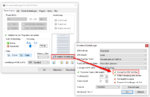
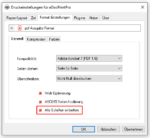
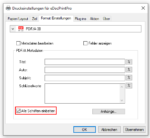
The second major change concerns the implementation of the “File Format Settings/PDF/Embed All Fonts” option. Since this option does not work as expected with some fonts when using Ghostscript, a workaround has been implemented to resolve the issue caused by Ghostscript: The text on the pages is saved and then removed from the pages. Likewise, all fonts used are removed from the PDF. The text is then reloaded and reinserted onto the page with the fonts fully embedded (similar to the OCR text below the image, but with all text display options). This implementation effectively allows you to replace one font in a PDF file with another or, as required for this feature, to correctly embed the entire TTF font in the PDF.
Download – eDocPrintPro free 64bit Version
Download – eDocPrintPro 64bit PDF/A & ZUGFeRD
Download GhostScript 10.7.1 64bit Setup