Category: PDF/A

eDocPrintPro PDF/A Version 5.8.6 – ZUGFeRD Version 2.4 / Factur-X Version 1.08

New features in eDocPrintPro PDF/A printer driver:

Adaptation to the current ZUGFeRD version 2.4 / Factur-X version 1.08: On 4 December 2025, the German Electronic Invoice Forum (FeRD) released the new version ZUGFeRD 2.4 / Factur-X 1.08. The eDocPrintPro PDF/A printer driver has been adapted to these versions and tested against them. The generated PDF or XML file can also be validated online, e.g. via portinvoice.

Download – eDocPrintPro 64-bit PDF/A & ZUGFeRD

Download GhostScript 10.5.1 64-bit setup

PDF2PDFA converter – ZUGFeRD version 2.4 / Factur-X version 1.08

New features in PDF2PDFA Converter:

  • Adjustments to the current ZUGFeRD version 2.4 / Factur-X version 1.08: On December 4, 2025, the German Electronic Invoice Forum (FeRD) released the new version ZUGFeRD 2.4 / Factur-X 1.08. The PDF2PDFA Converter has been adapted to these versions and tested against them.

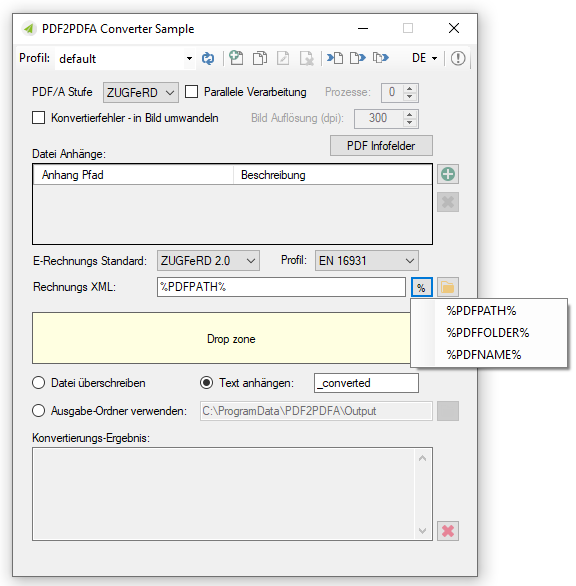
The XML file required for processing can be transferred either interactively via a file dialog, a preset file path, or via ZIP containers containing the PDF and the associated XML file. The generated PDF or XML file can also be validated online, e.g., via portinvoice.

PDF2PDFA Converter – Test & sample application >>>
PDF2PDFA-CL – PDF/A – Command Line Converter >>>
PDF2PDFA-FM – PDF to PDF/A Converter with Folder Monitoring >>>
PDF2PDFA-CS – PDF to PDFA REST / SOAP Converter Service >>>
DropPDFA – Convert PDF to PDF/A & ZUGFeRD via Drag & Drop >>>

EasyMerge PDF/A converter 2.2.15 – now with MS-Outlook Plug-in

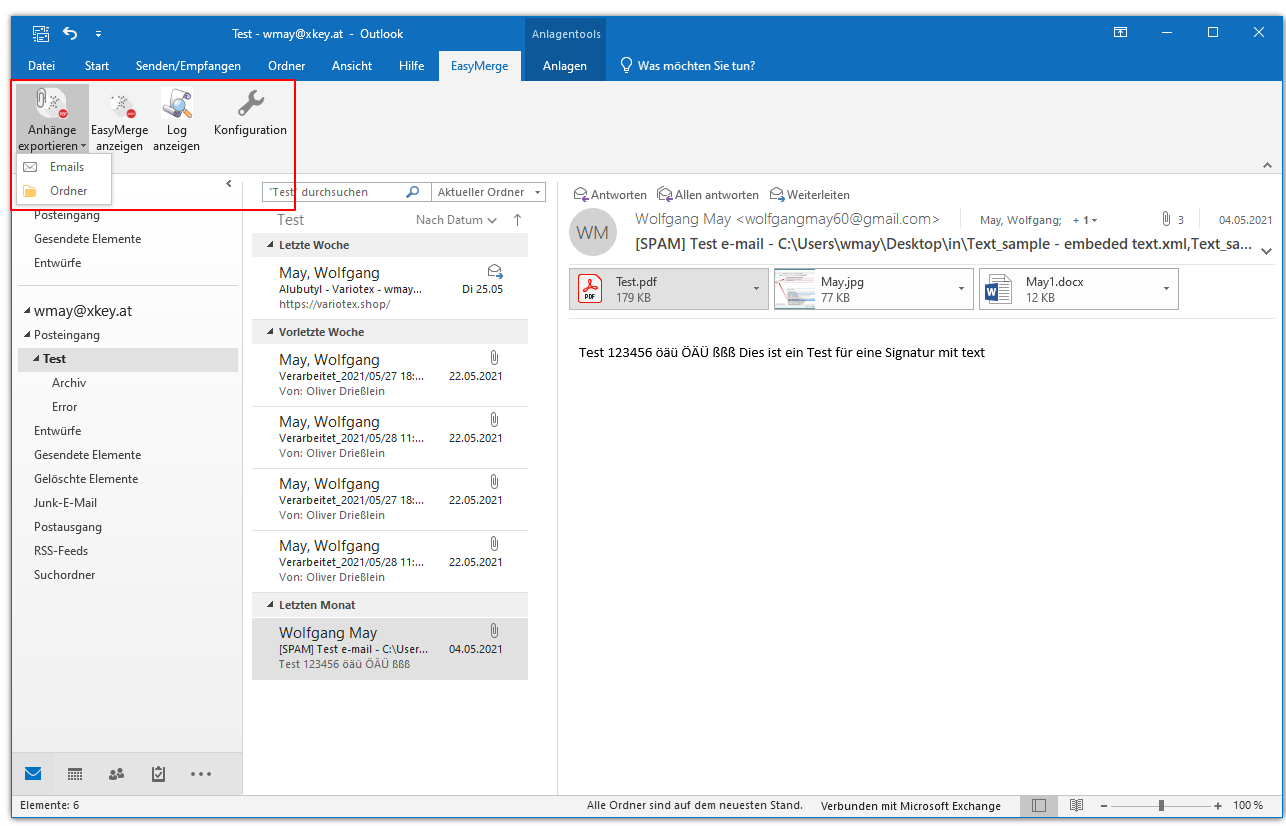
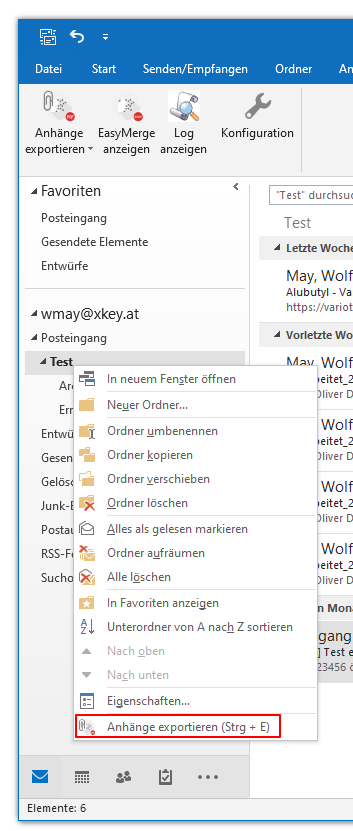
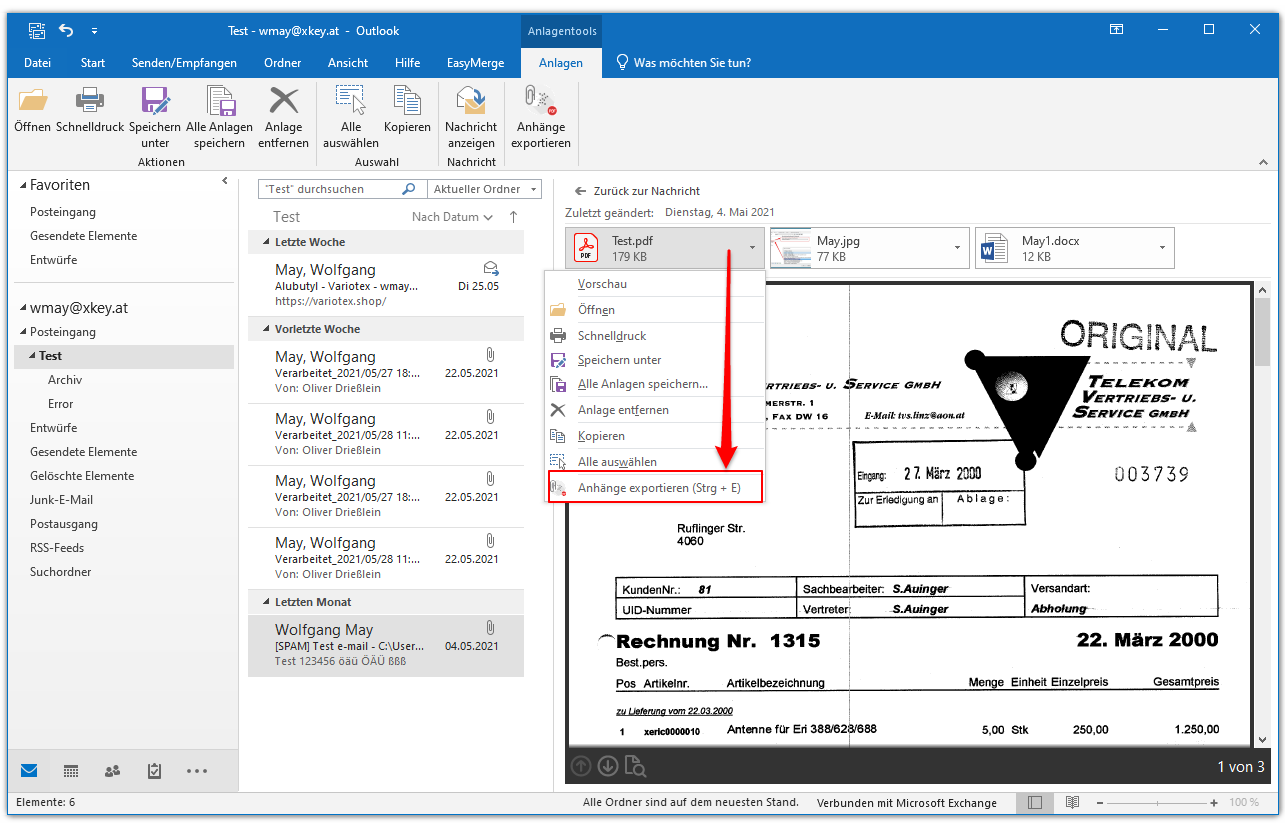
From EasyMerge version 2.2.15, an MS Outlook plug-in can also be installed with the setup. This makes it possible to insert PDF attachments into the EasyMerge file list directly from MS Outlook without having to save the attachment beforehand.

Functions EasyMerge MS-Outlook Plugin:

  • Direct insertion of PDF attachments into the EasyMerge file list from MS Outlook.
  • Selection of one / more email messages, an entire email folder or the attachments in the email message
  • Calling up the EasyMerge user interface from MS Outlook,
  • Configuration of the operation to be carried out after the export:
    • Highlight the exported message in color using categories.
    • Move the processed message to a mailbox folder
    • Deletion of the processed message – with / without confirmation
  • Logging of the processes / display of the log


Download – EasyMerge PDFA >>>

eDocPrintPro free, PDF/A & ZUGFeRD, SDK Version 5.0.0 available

Innovations Version 5.0.0:

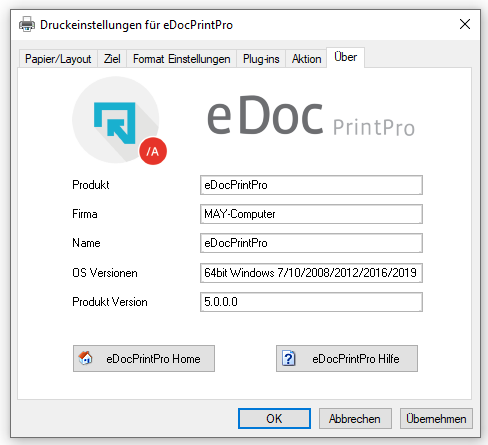
  • The list of supported operating systems ( 64bit Windows 7/10/2008/2012/2016/2019 ) has been updated and supplemented.
  • eDocPrintPro now uses the current GhostScript Version 9.53.3.
  • PDF/A and ZUGFeRD have been brought up to the current status and now offer the same functionality as the PDF2PDFA converter .
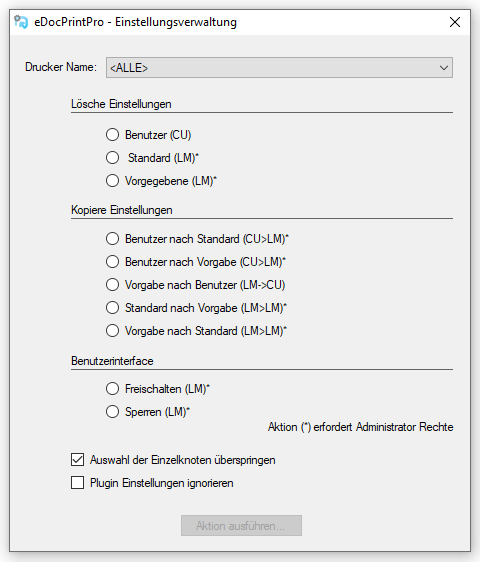
  • The “ eDocPrintPro Manage Settings ” application has been revised, expanded and can now also be used via command line calls.
  • The previously fixed standard page formats – can be deleted, imported or exported.
  • Various output formats (PS, EPS, PCL, SWF) that will no longer be supported in the future have been removed.
  • If the file to be overwritten is still open during the output without the “Save As” dialog, a dialog now appears stating that the action cannot be carried out.
  • Printing an existing PDF/A file as PDF: The PDF/A flag will be removed from the data structure, until now it was wrongly retained.
  • With version 5.0.0 a new eDocPrintPro SDK is also available.


Download – eDocPrintPro free 64bit Version

Download – eDocPrintPro 64bit PDF/A & ZUGFeRD

Download GhostScript 9.53.3 64bit Setup

Download – eDocPrintPro 32bit Version 4.0.2

Download – eDocPrintPro 4.0.2 32bit (ca. 66 MB) >>>
Download – eDocPrintPro PDF/A & ZUGFeRD 32bit (ca. 105 MB) >>>
Download – GhostScript 9.27 MSI Setup – 32bit (ca. 26MB) >>>

DropPDFA – Convert PDFs via DropZone and folder monitoring to PDF/A-1,2,3 Level b/a and ZUGFeRD PDF/A-3b

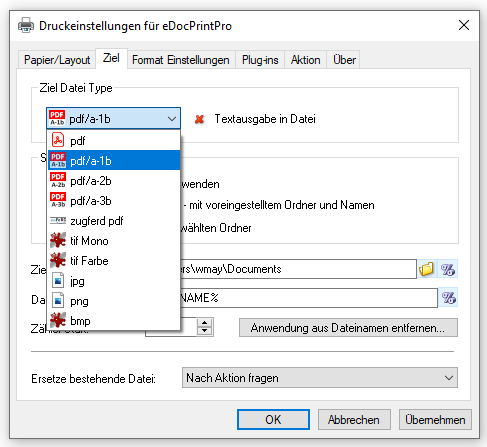
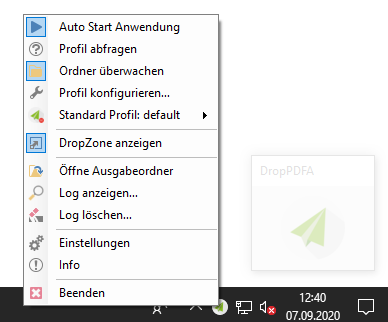
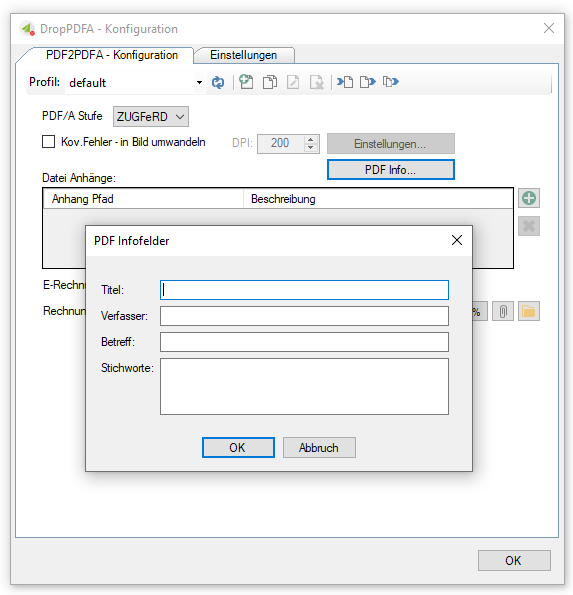
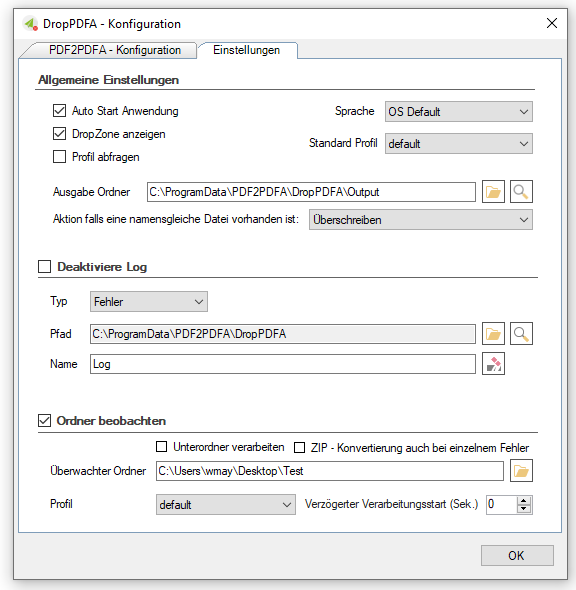
DropPDFA enables one or more PDF documents to be converted into PDF/A-1,2,3 Level b or Level a or also to ZUGFeRD PDF/A-3b format via drag & drop or via a monitored folder, DropPDFA is an executable MS Windows application that can be started automatically and is based on the PDF2PDFA converter – C # /. NET component.

Features DropPDFA:

  • Executable MS-Windows application with autostart function.
  • Converts single or multiple PDFs to PDF / A-1,2,3 Level b / a and the ZUGFeRD PDF / A-3b format.
  • Start processing via drag & drop by dragging the PDFs onto a drop zone and /
  • or Conversion by monitoring a folder / folder structure.
  • Conversion profiles – new, copy, rename, delete, import, export – enable the settings to be changed quickly and easily.
  • In order to change the configuration, the profile can also be offered for selection before processing starts.


Download – DropPDFA – convert PDF per Drag&Drop to PDF/A & ZUGFeRD  >>>

PDF2PDFA – smaller PDF/A files – font compression, 200dpi rendering of transparencies

PDF2PDFA innovations:

  • Smaller PDF/A files: The PDF/A standard requires that the fonts used in PDF are fully or partially embedded. The new PDF2PDFA converter embeds them compressed, which means that the size of the PDF/A generated is much smaller, especially for large and large fonts.
  • The PDF/A-1b standard does not allow transparent elements. In order to be able to convert such PDFs to PDF/A-1b, transparencies have to be resolved. This is done by rendering, in which overlapping elements are added together and reduced. In order not to let the PDF/A-1b file size grow too large in such a case, the previously preset resolution was reduced from 300dpi to 200dpi.
  • ZUGFeRD XML via variable: For the path, folder and name of the invoice XML, variables can be used which are assigned the path, folder and name of the generated PDF file. This means that the XML associated with a PDF can be dynamically “found” and embedded.

FileConverterPro (FCpro) 1.0.101 – Supports PDF/A Level 1a, 2a, 3a

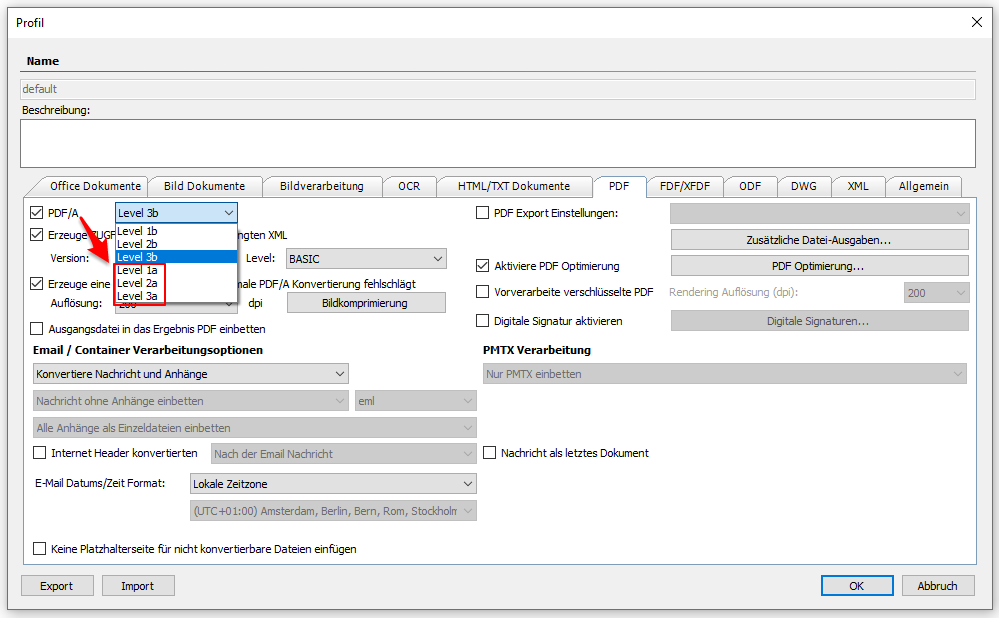
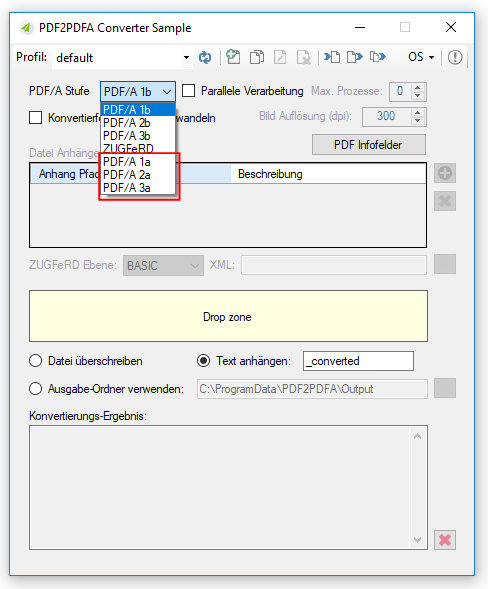
In addition to level b of the PDF/A standard, FileConverterPro now also supports conversion to level a (PDF/A 1a, 2a, 3a).

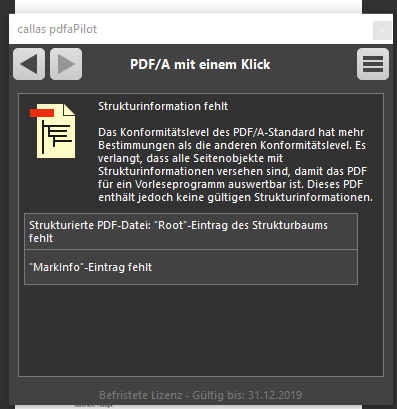
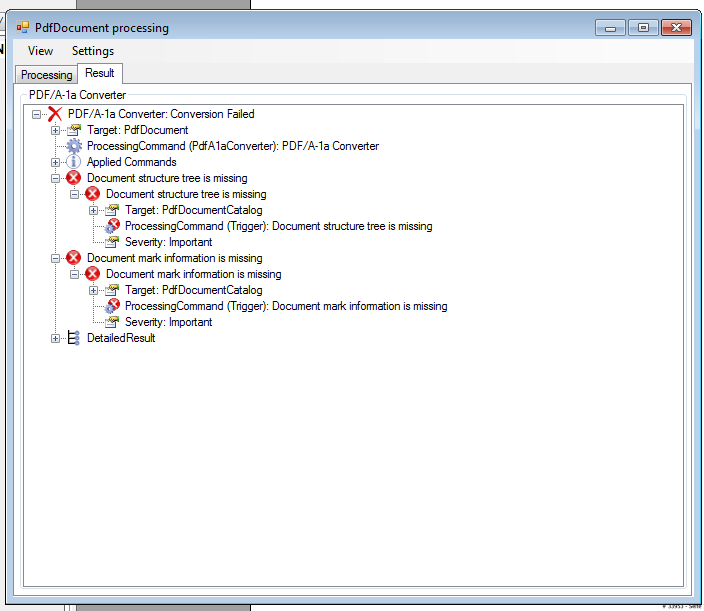
However, it is necessary that the source document already contains the structural information required for level a. If this is not included, no conversion can take place. This information must already exist and cannot be created and inserted automatically. Documents that were created using MS Word or MS Excel already contain this information and can therefore be converted into a valid PDF / A-1a, 2a or 3a with the FCpro – either “Direct” or via the “MS Office” converter Format to be converted.

Download – FileConverterPro (FCpro) ~600MB >>>
Download – OmniPage OCR Engine als Option für FCpro (ca. 235MB) >>>

eDocPrintPro PDF/A – Version 3.29.0 – supports the e-billing standard ZUGFeRD 2.0 / EN 16931 / Factur-X 1.0

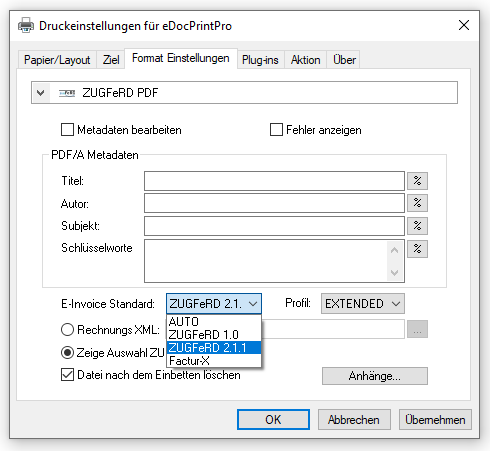
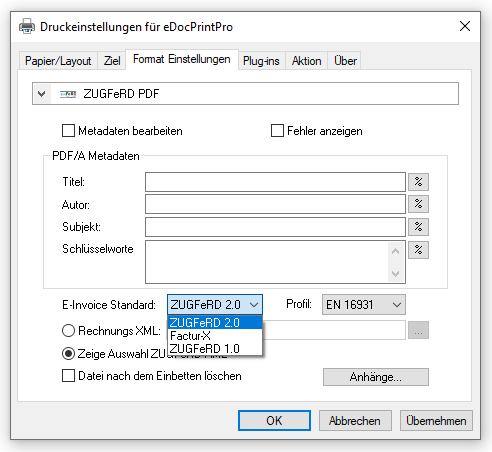
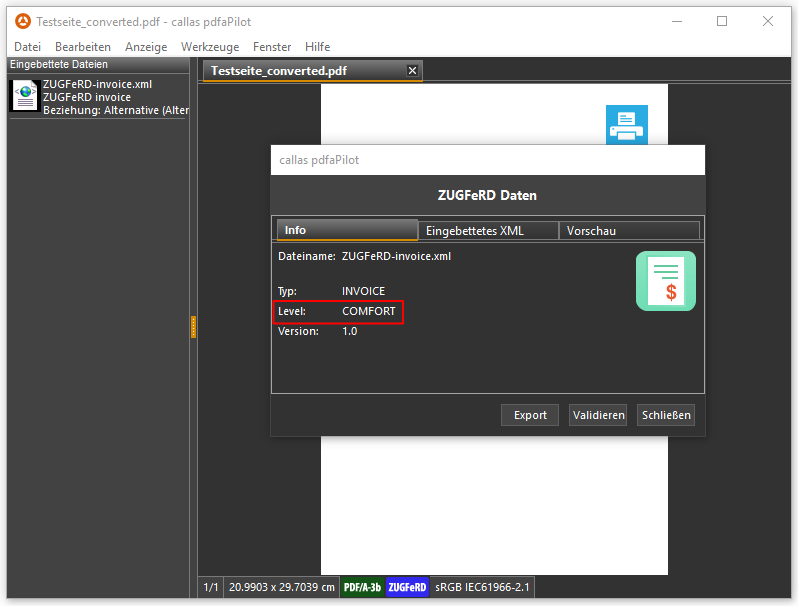
The eDocPrintPro version 3.29.0 now also supports the current e-billing standards – ZUGFeRD 2.0 / EN 16931 and Factur-X 1.0. These are based on PDF/A-3 where the billing records are embedded as an XML file in the PDF as a file attachment.

Features:

  • Selection of e-billing standards – ZUGFeRD 1.0 / 2.0 / EN 16931 / Factur-X 1.0
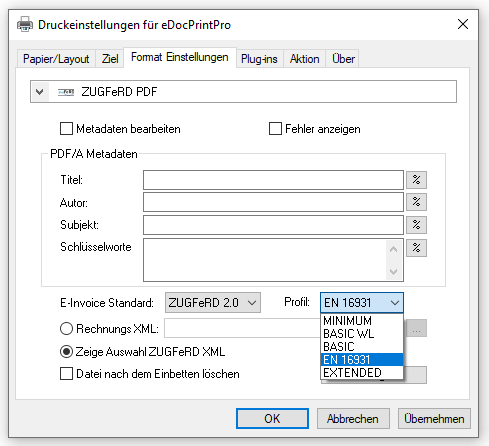
  • Selection of a profile supported by the standard (MINIMUM, BASIC WL, BASIC, EN 16931, EXTENDED)
  • Use predefined (path, name) XML / select XML via file dialog
  • Automatically delete XML after embedding in PDF (Yes/No)

Requirement: A XML file valid according to the selected standard and profile must already be ready before printing. The XML file is not extracted from the print data.

Download – eDocPrintPro PDF/A & ZUGFeRD

GhostScript 9.27 Setup

eDocPrintPro free / PDF/A & ZUGFeRD Version 3.28.3 available

Innovations eDocPrintPro Version 3.28.3:

  • New plugin INI parameter – “Temporary=yes” – if this parameter is set in the INI file of a plugin, the PDF file will be created first in the %TEMP% folder. Then all plugins are processed and only then the PDF file is moved to the configured or selected target folder. This prevents the PDF file from immediately appearing in the destination folder, the processing with the plugins happening in the destination folder, and the user or another program already opening or locking the PDF file before the plugin processing has been completed.
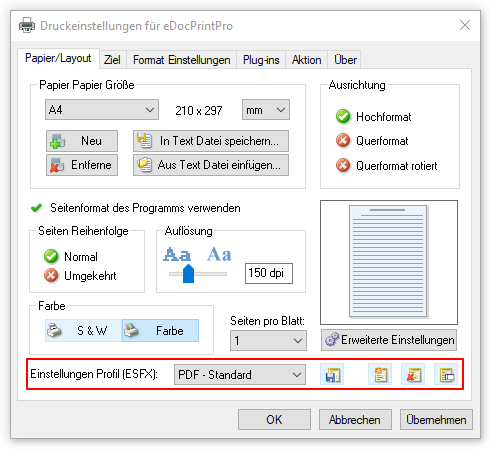
  • Selected ESFX – profile will be loaded immediately – Previously the ESFX profile hat to be selected and then the “Load” button had to be pressed so that the settings were read in and adopted. Now it is sufficient to select another profile from the list to load and activate the settings. The “Load” button has been removed.

Download – eDocPrintPro free Version

Download – eDocPrintPro PDF/A & ZUGFeRD

GhostScript 9.26 Setup

Webshop