Category: HotFolder

FileConverterPro-FM – FCpro Features with Folder Monitoring

In addition to the existing FCpro version with REST/SOAP interface, there is now FileConverterPro-FM (FCpro-FM). FCpro-FM offers the same features as FCpro, but in the form of a single application that includes folder monitoring. FCpro is installed as a service on a Windows computer and monitors input folders. Any new file added to a monitored folder is automatically converted to PDF or PDF(A).

FileConverterPro-FM (FCpro-FM) – Folder Monitoring

  • FCpro features for converting files to PDF or PDF/A.
  • MS Windows Service
  • Multiple jobs can be created to monitor multiple input folders.
  • Multithreading / parallel processing ensures high processing throughput
  • Configuration of processing steps via profiles (New, Copy, Edit, Delete, Export, Import)
  • Only the root folder or the entire subfolder structure can be processed.
  • Folder contents can be deleted after processing, or the folder structure can be preserved.
  • The folder structure from the input folder can also be copied to the destination folder.
  • File processing via filters—name, extension, created by/on, modified by/on.
  • Sorted processing by name or date, as well as in ascending or descending order, is possible.
  • Generation of a new filename using variables (date, time, counter, original name/extension)
  • Deleting the original file (moving), copying, or creating an archive copy
  • Folder monitoring and processing start via file system events—immediately, with a configurable delay (0–999 sec.), or at set time intervals (in min.)
  • Start processing at a specified date/time with optional daily or weekly repetition.
  • Adjustable number of retry attempts or time interval if a file is blocked.
  • Logging (all events, or only error events)

Additional options – in addition to PDF conversion as the basic function:

  • PDF/A – for an ISO-standardized archive/output format
  • OCR – make PDFs, scans, and images searchable
  • PDFCompressor – compress and reduce the size of PDFs, including MRC compression
  • PDFSecureSign – encrypt, protect, and sign PDFs

DownloadFileConverterPro-FM – File conversion with folder monitoring >>>
Download – FileConverterPro (FCpro) Components Trial Application ~600MB >>>

FileConverterPro-CS-FM replaces FCpro “Hotfolder”

The FCpro Hotfolder application is being replaced by the new “FileConverterPro-CS-FM” application, which offers a significantly expanded range of functions. This new application is based on our uniform basis for all of our “CS = Client/Server” and “FM = Folder Monitoring” applications.

DownloadFileConverterPro-CS-FM – new version – Folder Monitoring for FileConverterPro >>>
Download – HotFolder – previous version – Folder Monitoring for FileConverterPro >>>

FileConverterPro (FCpro) – Overview and various client applications – product video

The product video shows the FileConverterPro and the most important client applications that work with the FCpro PDF (/A) conversion service via the REST / SOAP web service interface:

The following FCpro client applications are shown:

  • DropConvert – Interactive drag and drop conversion.
  • FCpro Hotfolder – Folder Monitoring.
  • FCpro EE – Explorer Extension – FCpro integrated in the MS Windows Explorer
  • EMail Archiver – MS-Outlook Plugin to convert messages and attachments to PDF (/A).
  • PDFmerge – Converts complex document structures to PDF(/A)
  • C# / .NET – Example client & project – All FCpro functions for testing

Download – FileConverterPro (FCpro) ~600MB >>>
Download – OmniPage OCR Engine als Option für FCpro (ca. 235MB) >>>
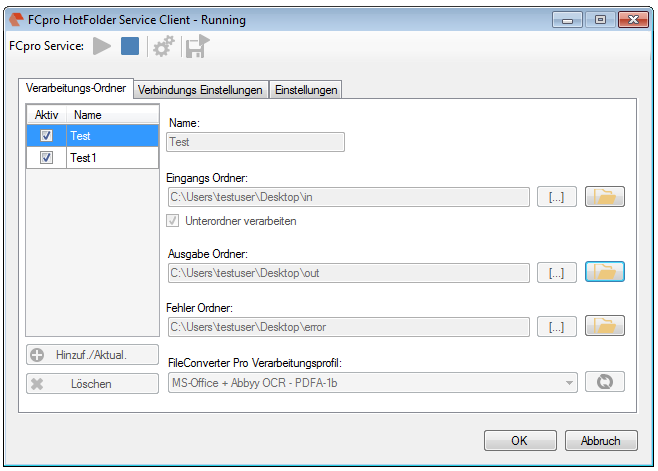
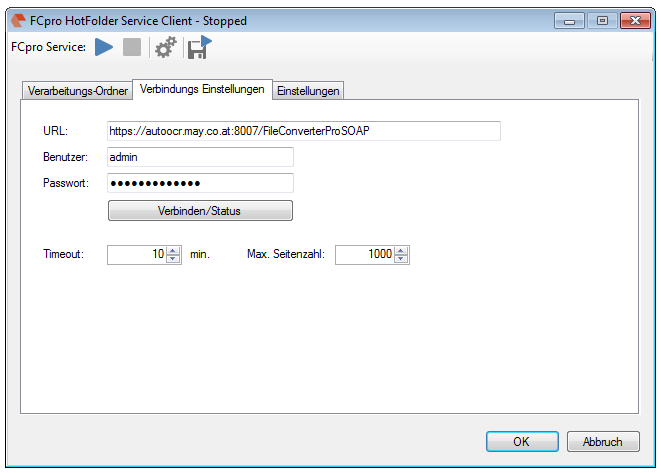
FileConverterPro HotFolder – Windows service for folder monitoring

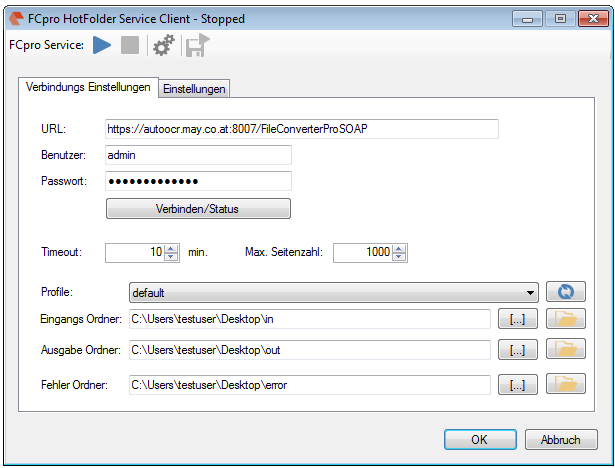
The freely available application FCpro HotFolder works together with the FileConverterPro Server and makes it possible to monitor yet one and soon also multiple input folders automatically.

Existing or newly added documents of the monitored folder get recognized and via the FCpro server, with or without OCR, converted to a PDF, PDF/A-1b, PDF/A-3b or ZUGFeRD document. For the monitored folder a processing-profile from the FCpro server is chosen which controls the conversion. The documents stored in containers (ZIP, RAR, 7ZIP, MSG, EML) get converted one by one and merged to an overall-PDF.

FCpro HotFolder is installed as Windows service and can also be installed on the same (localhost) or any remote computer. The communication with the FileConverterPro Server takes place via WebService through HTTP or encrypted through HTTPS.

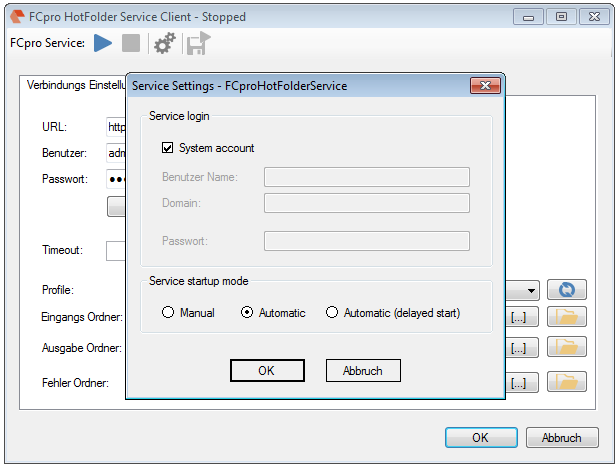
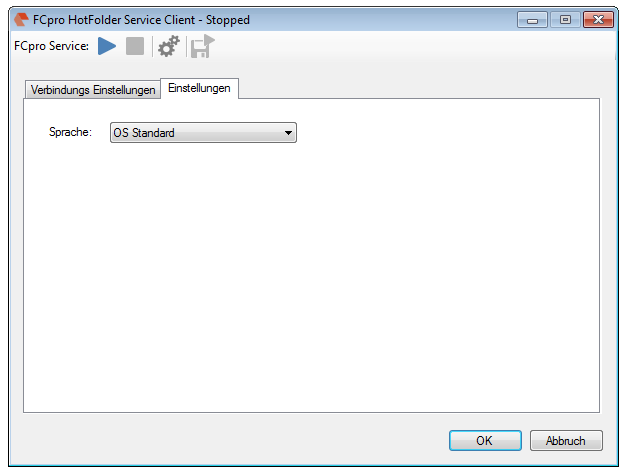
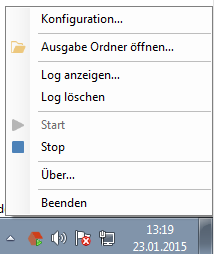
FCpro HotFolder Service - Konfiguration  FCpro HotFolder Service - System & User Account Konfiguration  FCpro HotFolder - konfiguration User Interface Sprache  FCpro HotFolder - Icon Tray Menu

Supported input-formats:

  • DOC, DOCX, DOCM, RTF, TXT, ODT
  • XLS, XLSX, XLSM
  • PPT, PPTX, PPS, PPSX,
  • FDF, XFDF (Adobe forms),
  • XML
  • PNG, BMP, TIF, TIFF, JPG, JPEG, GIF
  • ZIP, RAR, 7Z,
  • MSG, EML,
  • PDF,
  • HTM, HTML, MHTML,
  • PMTX (PDFMerge)
  • DWG, DXF, DWF
  • Abbyy OCR: PDF, TIF, TIFF, PNG, JPG, JPEG, BMP, GIF, PCX, DCX, JP2, JPC, DJV, DJVU, WDP
  • iOCR:  PDF, TIFF, JPEG, PNG

Unterstützte Ausgabe-Formate:

  • PDF
  • PDF/A-1b
  • PDF/A-3b
  • ZUGFeRD

Please note that the Windows Service is installed with the local system account. This account has no rights to access network resources. To read or write files from/to a network-share, a user with the needed permissions has to be used.

Download – HotFolder -folder monitoring for FileConverterPro >>>

Webshop