PDFmdx – Reading position data via a sliding group – Product video

PDFmdx can read information from PDF documents via defined areas and assign them to a field. However, there is also information in a document that occurs several times. For example, position data of invoices – quantity, article number, price etc. These are usually executed as tables in fixed columns and a variable number of rows.

PDFmdx is also able to read position data from PDF documents with the help of “sliding groups”. Fields are assigned to a “sliding group” and positioned on the template document. Criteria define conditions to identify a row as a “sliding group” record. Two delimiters determine in which vertical area of the pages such data records are searched for.

The following video also shows the use of “anchor fields” to find and read information which is “moving” on a page and has no fixed position, e.g. the final amount of an invoice.
Download – PDFmdx Template Editor & Processor >>>

PDFmdx – Recognize, read out and store invoices in a folder structure – Product video available

PDFmdx can recognize PDF Documents (e.g. invoices) via criteria based on textual content, split them into individual documents and read out metadata. The fields and texts that have been read out can be used for the filename as well as for the structured storage or import of the documents.

The following video shows how to do it on the basis of incoming invoices:

Download – PDFmdx Template Editor & Processor >>>

PDFmdx – Split documents via barcode – Product video available

PDFmdx can also recognize documents by barcodes, split them into individual documents and use the read out barcode values to store them. Which barcode is used can be specified via the area, the barcode type or also conditions. The splitting can be done via a change of content or via conditions. Separating sheets containing barcodes can also be deleted.

The following video shows how it works:

Download – PDFmdx Template Editor & Processor >>>

AutoOCR-CS-CL – Command line application for AutoOCR via Web-Service

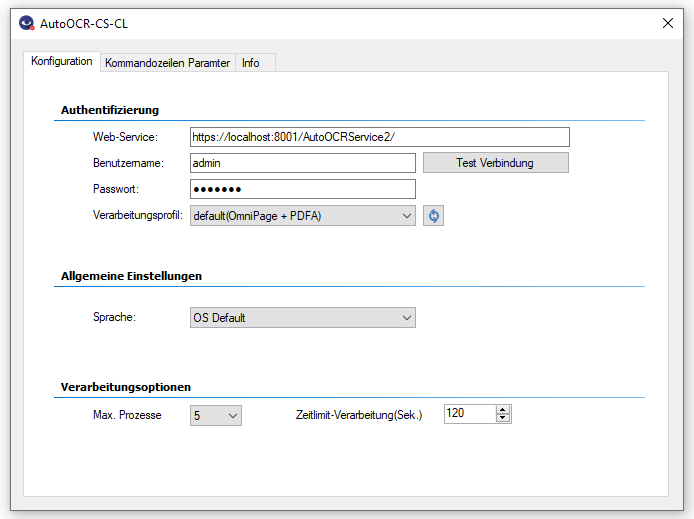
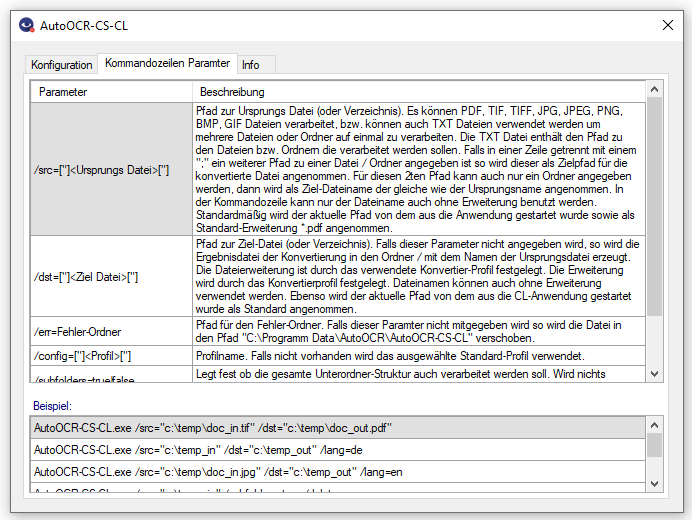
AutoOCR-CS-CL is a command line add-on application available free of charge for the AutoOCR server. AutoOCR-CS-CL enables the conversion of image PDF, TIF/TIFF, JPG/JPEG, PNG, BMP, GIF files into searchable PDF or PDF/A files. Communication with the AutoOCR server is done with http/https via the AutoOCR SOAP web service interface. The AutoOCR server can be addressed locally, in the same network or via an Internet connection.

Features AutoOCR-CS-CL:

  • Free command line application for AutoOCR to generate searchable PDF(/A) via OCR from Image-PDF, TIF/TIFF, JPG/JPEG, PNG, BMP, GIF.
  • Processing takes place via SOAP web service on a (remote) AutoOCR server via http/https.
  • Processes individual files, entire folders / folder structures as well as lists of files / folders from TXT files.
  • Selection of the processing parameters by specifying an OCR profile stored on the AutoOCR server.
  • Parallel multiple upload / download to AutoOCR server configurable for optimal throughput.


Download – AutoOCR-CS-CL –  Command line application for AutoOCR via Web-Service >>>
Download – Readme / Help – AutoOCR-CS-CL  >>>

eDocPrintPro free / PDF/A & ZUGFeRD version 4.0.0 available

Until now, a monitor application (xxxMonitor.exe) was started automatically for each eDocPrintPro printer driver when the computer was started. The start of the monitor application was entered under HKEY_LOCAL_MACHINE\SOFTWARE\Microsoft\Windows\CurrentVersion\Run (64bit OS).

As of version 4.0.0, the eDocPrintProMonitor.exe is no longer started automatically and is no longer listed unter “Run”. The printer driver only calls the monitor application when it is needed and is therefore no longer permanently stored in memory.

Download – eDocPrintPro free Version

Download – eDocPrintPro PDF/A & ZUGFeRD

GhostScript 9.27 Setup

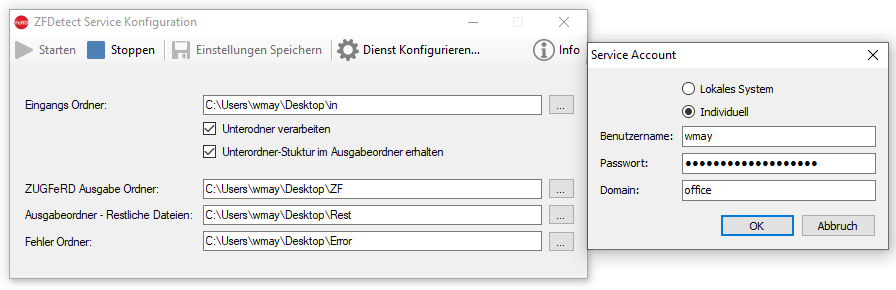
ZFDetect – ZUGFeRD PDF recognize, filter and move to a target folder

ZUGFeRD files contain an XML file embedded in the PDF file as an attachment with standardized information about the invoice receipt. Billing information can thus be extracted from the XML e.g. be transferred directly to the bookkeeping.

Usually, electronic invoices are sent by email. Both normal and normal PDF invoices will be received with this ZUGFeRD XML.

ZFDetect is used by folder monitoring to filter out the ZUGFeRD PDF files from any other (PDF) files and move them to a specified destination folder.

ZFDetect features:

  • Executable application as well as MS-Windows service with folder monitoring.
  • One configurable input folder is monitored, new PDF files are recognized and processed immediately.
  • Subfolder structures can be processed and can be mapped in the destination folder.
  • ZUGFeRD PDF files are identified and moved to a configurable folder.
  • All other PDF files are moved to a different folder.
  • Defective or password-protected PDF are recognized and end up in the error folder.

Download – ZFDetect – ZUGFeRD PDF recognize and filter >>>

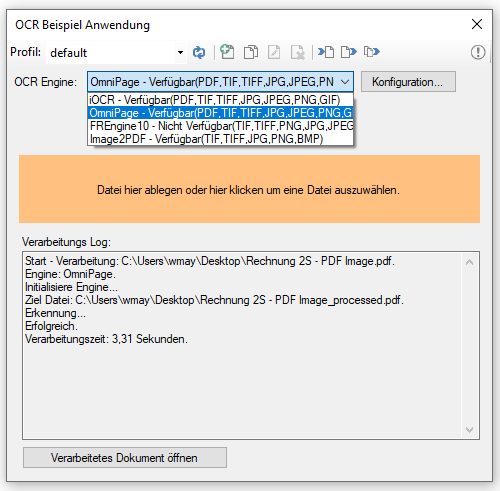
GenOCR application to perform OCR tests quickly and easily

In our applications OCR processing is encapsulated in a separate component. This allows us to provide new OCR engines or additional functions quickly and consistently.

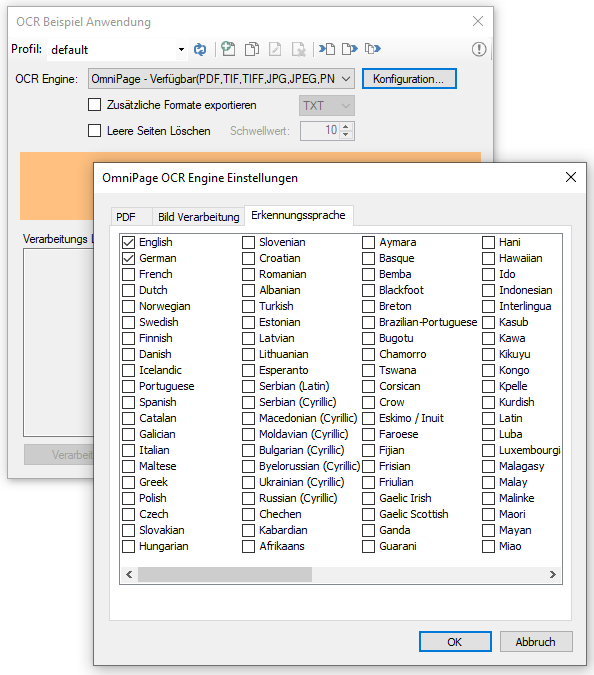
Recently, we added a very powerful and fast OCR engine, OmniPage.

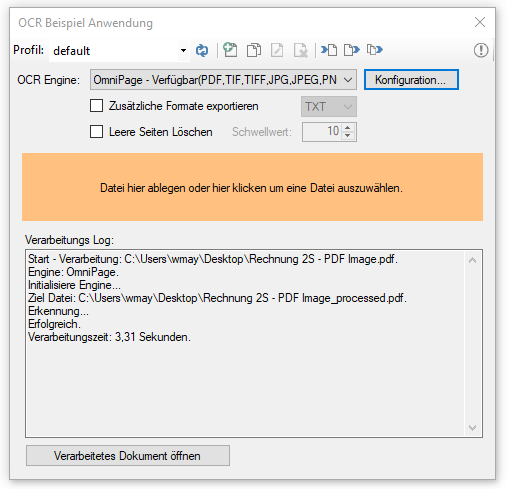
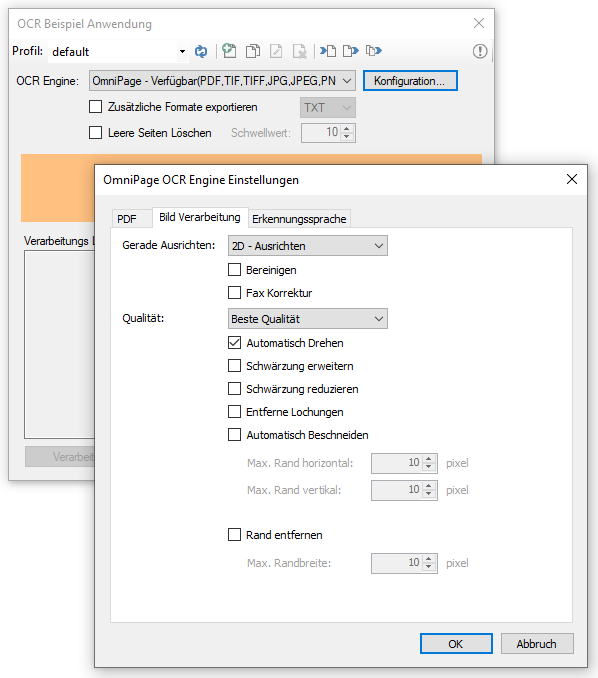
In order to be able to test the results as well as the processing speed easily and quickly, we provide with GenOCR an example and test application to convert individual PDF scans and image files by drag-and-drop into searchable PDFs.

On MS-Windows client operating systems, for example: MS-Windows 7/10, the OmniPage OCR engine is also installed and can be tested immediately for 30 days. For licensing reasons, the installation of the OmniPage OCR Engine is skipped on Windows Server operating systems. GenOCR can only be tested on MS Windows servers based on the iOCR engine.

Download – GenOCR – OCR test application for OmniPage and iOCR (ca. 650MB) >>>

ZFMerge – Combine ZUGFeRD PDF and other PDF’s into a total ZUGFeRD PDF

ZUGFeRD is a recognized and increasingly used standard for electronic invoices.

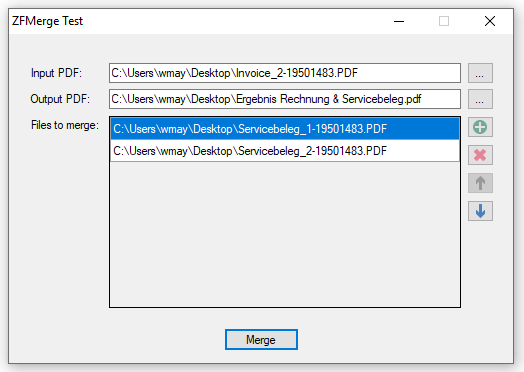
If, for example, a ZUGFeRD compliant invoice with embedded XML is generated from an ERP system, it may be necessary, depending on the customer, to attach further documents (for example: a performance report) that were not created via the ERP system. So a new ZUGFeRD compliant PDF has to be created (merged) containing the XML of the original invoice and all other documents.

ZFMerge – Features:

  • Generates complete ZUGFeRD compliant PDF/A-3b files.
  • The source file already contains a ZUGFeRD XML. The ZUGFeRD level and profiles are adopted.
  • More PDF files can be selected and added, the order can be adjusted.
  • Path / name of the new ZUGFeRD file is selected.
  • ZUGFeRD or PDF/A-3b compliant PDF is generated even if the source files do not conform to the PDF/A standard.

Download – ZFMerge Test Application >>>

OmniPage OCR engine for AutoOCR & AutoOCRLight from 2.0.7

Benefits of OmniPage OCR:

  • Recognition accuracy at the highest level, even for difficult documents
  • Fastest OCR processing – much faster and more powerful than anything we’ve tested and implemented so far. 1-2 seconds to create a searchable PDF per page are possible.
  • Affordable – 25,000 pages license with lower licensing costs than the previous 10,000-page Abbyy license
  • Easier activation of the (demo) license – The OmniPage OCR engine can be activated via our license server including a 30-day demo version together with the basic application.

Please note that for licensing reasons the OmniPage OCR Engine can only be installed on client operating systems – Windows 7/10 but not on Microsoft Server 2008, 2012, 2016 or 2019. The setup can only be performed on Windows 7/10. In terms of performance and stability, this is not a disadvantage. OCR processes are performance-intensive and should be executed on an own hardware (eg Intel NUC) with as many CPU cores and SSD disk as possible for optimal throughput.

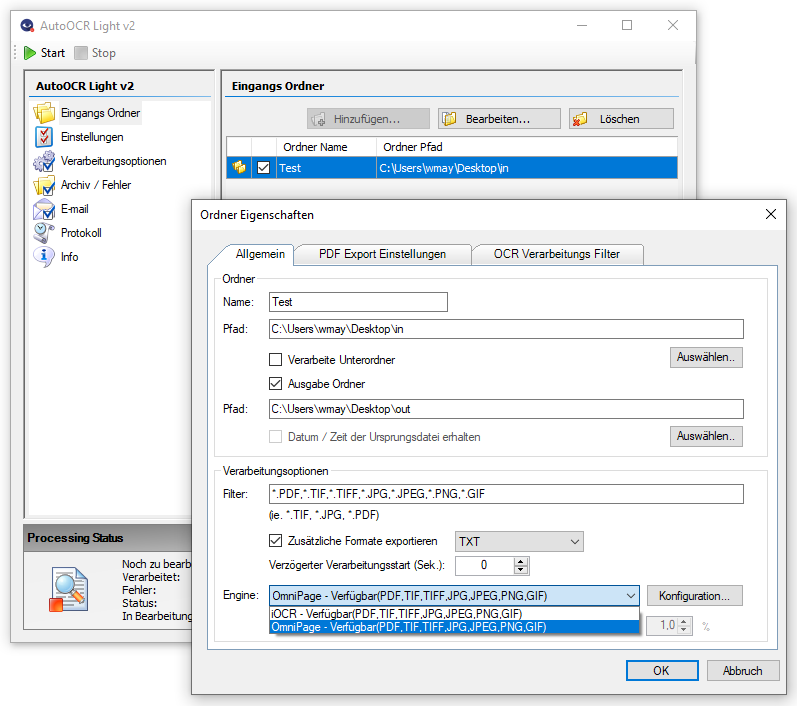
The OmniPage OCR engine can be activated and is included in AutoOCR setup for AutoOCR or AutoOCRLight from version 2.0.7 as an option in addition to IOCR (Tesseract OCR). For AutoOCRLight, the OmniPage OCR can be separately downloaded and installed.

Download – OmniPage OCR Engine as Option for AutoOCRLight (ca. 235MB) >>>

Download – AutoOCRLight – Low Cost OCR Server (ca. 410MB) >>>

Download – AutoOCR – OCR Server incl. OmniPage OCR (ca. 640MB) >>>

Webshop