PDFCompressor – processes CMYK / 32bit images, extended compression info

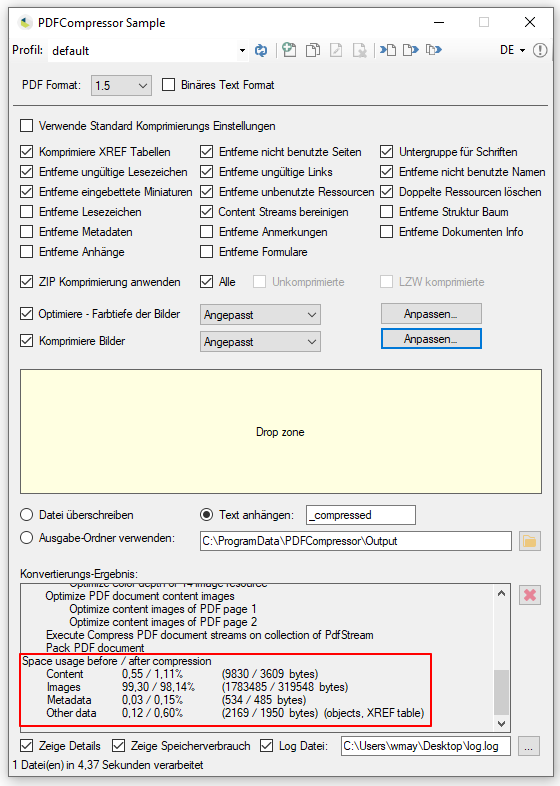
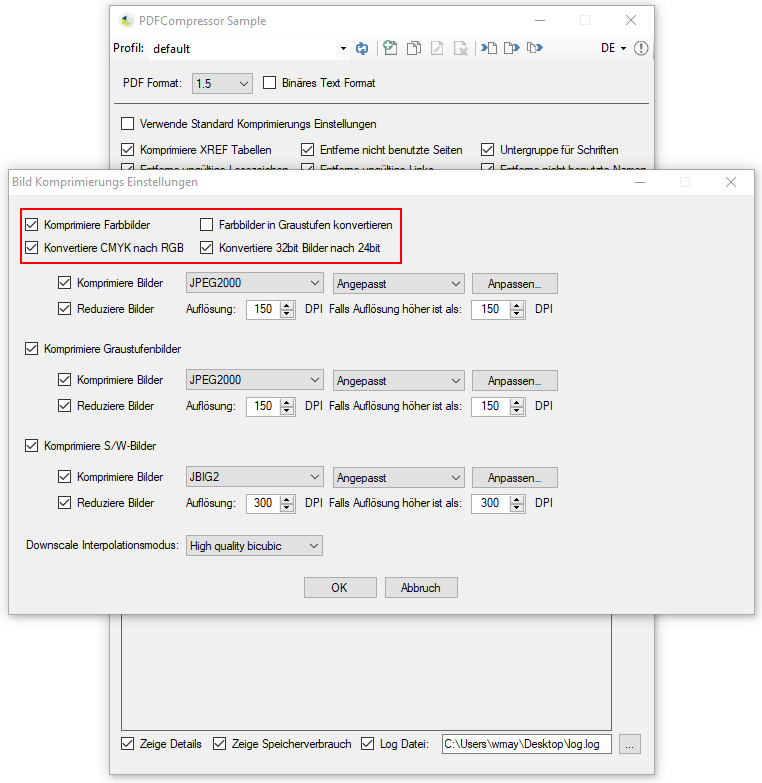
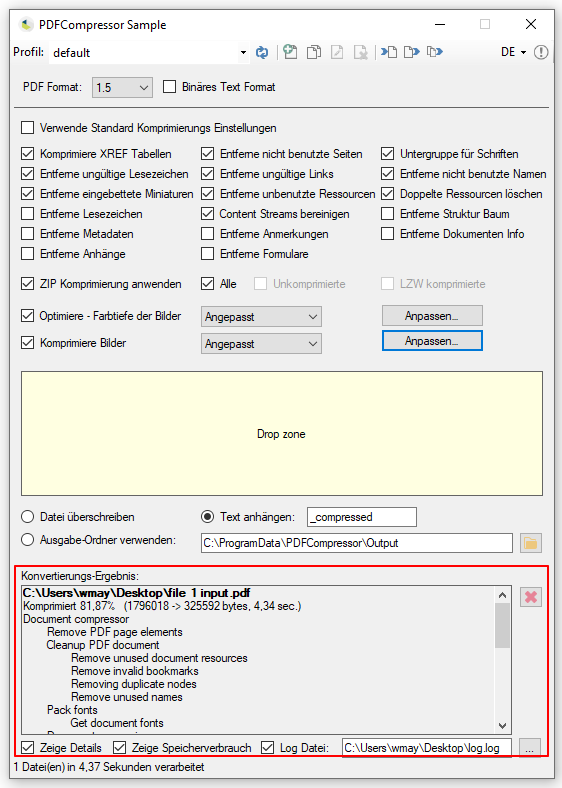
The current version of the PDFCompressor can now also convert CMYK and 32-bit color images to RGB, as well as 24-bit color images, so that PDF compression by the PDFCompressor is possible.

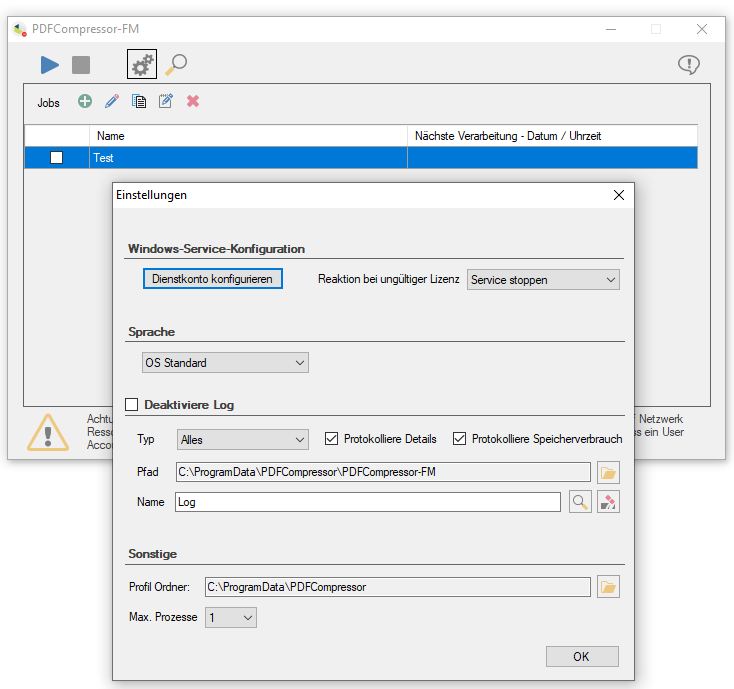
In addition, there is the possibility of displaying and logging information about the compression (before / after, in kB / in percent, total and by area), as well as the individual steps carried out during processing.


FileConverterPro (FCpro) 1.0.101 – Supports PDF/A Level 1a, 2a, 3a

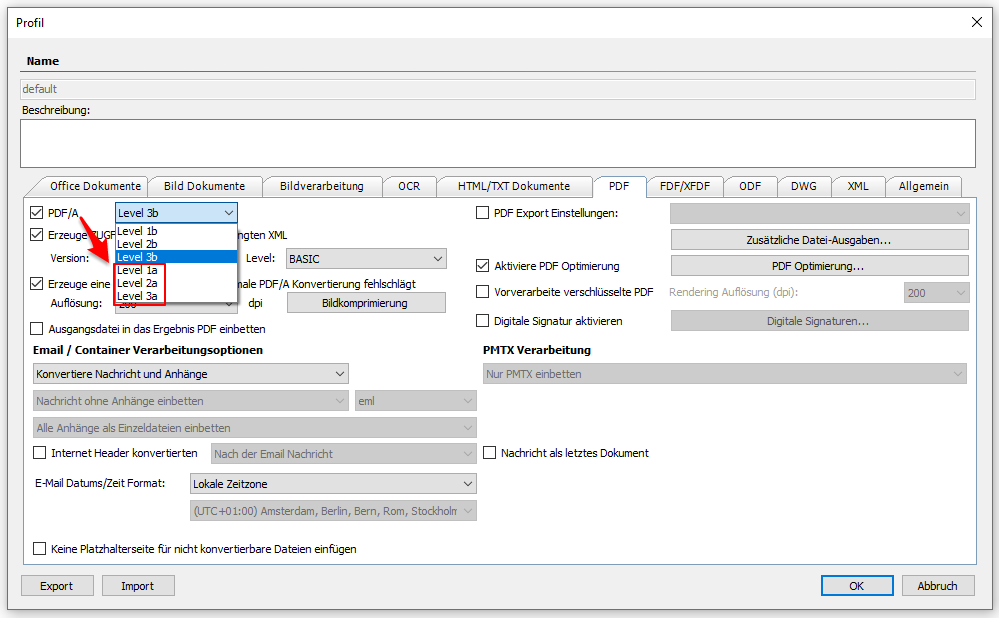
In addition to level b of the PDF/A standard, FileConverterPro now also supports conversion to level a (PDF/A 1a, 2a, 3a).

However, it is necessary that the source document already contains the structural information required for level a. If this is not included, no conversion can take place. This information must already exist and cannot be created and inserted automatically. Documents that were created using MS Word or MS Excel already contain this information and can therefore be converted into a valid PDF / A-1a, 2a or 3a with the FCpro – either “Direct” or via the “MS Office” converter Format to be converted.

Download – FileConverterPro (FCpro) ~600MB >>>
Download – OmniPage OCR Engine als Option für FCpro (ca. 235MB) >>>

PDFPrint-FM – Product video

The product video about PDFPrint-FM shows the most important functions to print PDF files automatically using monitored folders on physical printers locally or in the network:

Download – PDFPrint-FM –  Folder Monitoring – Prints PDF >>>

PDF2DOCX-FM – Product video

The product video about PDF2DOCX-FM shows the most important functions for converting PDF files into editable document formats – DOCX, RTF, HTML, XML, TXT and XLS – using monitored folders:

Download – PDF2DOCX-FM – converts PDF to DOCX, RTF, HTML, XML, TXT and XLS >>>

PDFSign-FM – Productvideo

The product video about PDFSign-FM shows the most important functions for automatically protecting and signing PDF and PDF / A documents using monitored folders, and providing them with a time stamp.

Download – PDFSign-FM – Signing PDF via FolderMonitoring >>>

PDFCompressor – Converts color images to grayscale

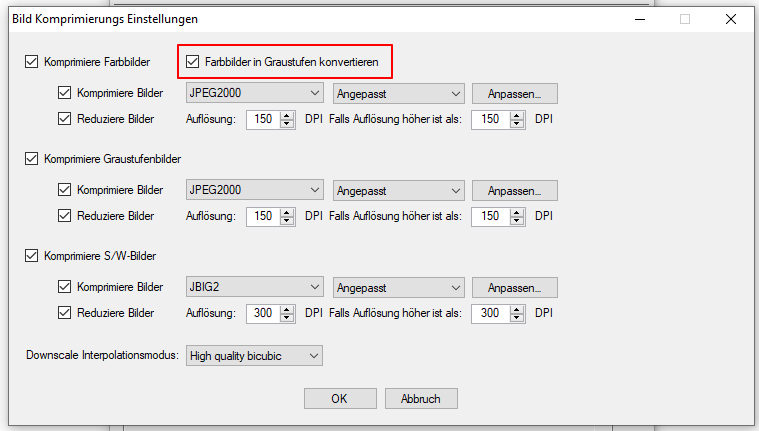
With the current version of the PDFCompressor component it is now possible to convert all 24-bit color images contained in the PDF into 8-bit grayscale images in order to generate even smaller PDF files.

This function is now also available in all applications based on our PDFCompressor components:

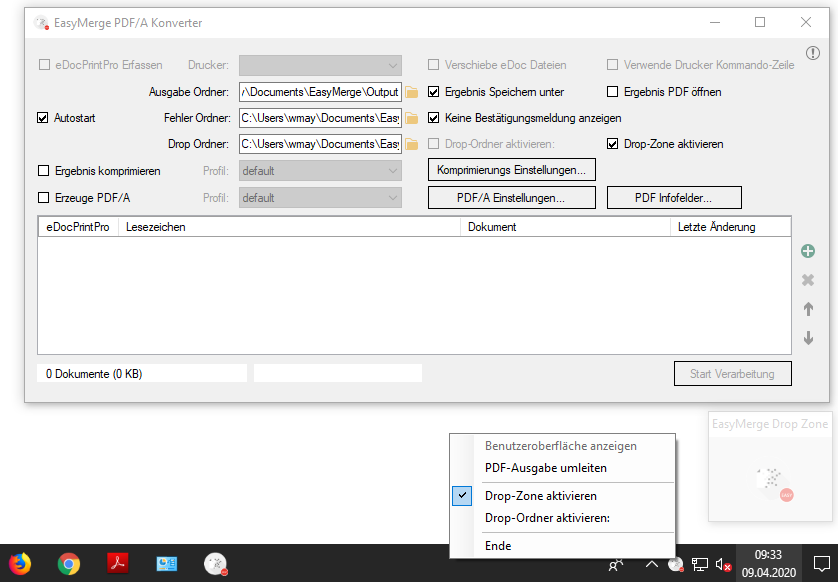
EasyMerge PDFA converter version 2.0.0

New features EasyMerge PDFA 2.0:

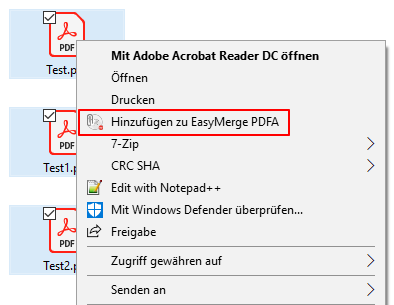
  • Windows Explorer integration: PDF files can be selected directly from the Windows Explorer / folder view and inserted into the EasyMerge list via a function in the file context menu.
  • Edit bookmark (F2 / Click) – the next list entry is automatically selected for editing via the Enter / Return key.
  • Keyboard shortcuts have been implemented for context menu functions (Ins, Del, Ctrl + A).
  • New function to select all entries in the list (Ctrl + A).
  • System variables (e.g.% userprofile%) are supported when selecting and configuring the folders.
  • If files are imported into the monitored drop folder and the user interface is minimized and therefore not visible, you will be asked whether the UI should be displayed.
  • Via the context menu or by double-clicking, a file added to the list can be displayed via the linked application.
  • The list entries can be sorted via the columns in ascending / descending order, e.g. also via creation date / time.
  • A separate error folder in case there are problems merging the PDF files.
  • Files with the same name can also be added and processed.
  • To start post-processing, the command line application, which is configured under the selected eDocPrintPro printer driver, can be run together with the generated PDF.
  • An MS Outlook plugin will soon be available to add PDF attachments from emails directly from MS Outlook to the EasyMerge document list.
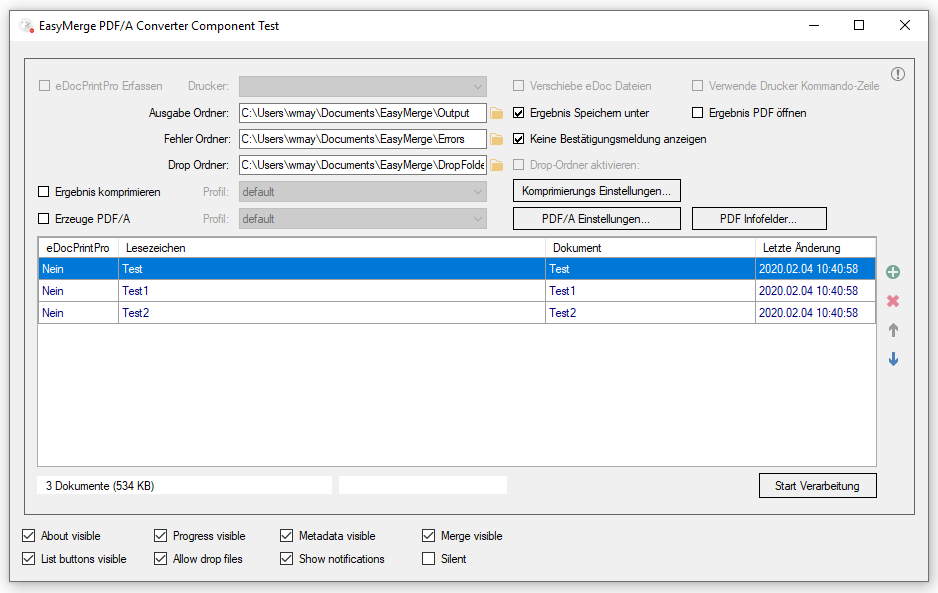
  • EasyMerge PDFA has now been implemented as a .NET / C # component, which means that the functions are also available in other applications.


Download – EasyMerge PDFA >>>

FileConverterPro 1.0.98 – New Version

Innovations FCpro Version 1.0.98:

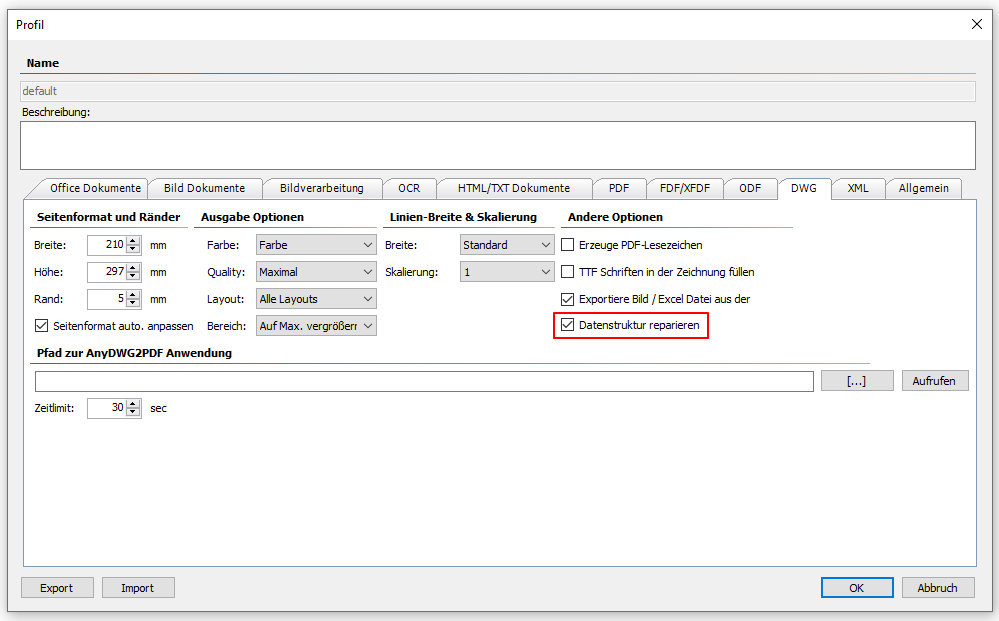
  • DWG to PDF – option to repair the data structure. Some DWG files can only be converted to PDF after the data structure has been repaired. If DWG files cannot be converted, this option should be set. However, this increases the processing time.


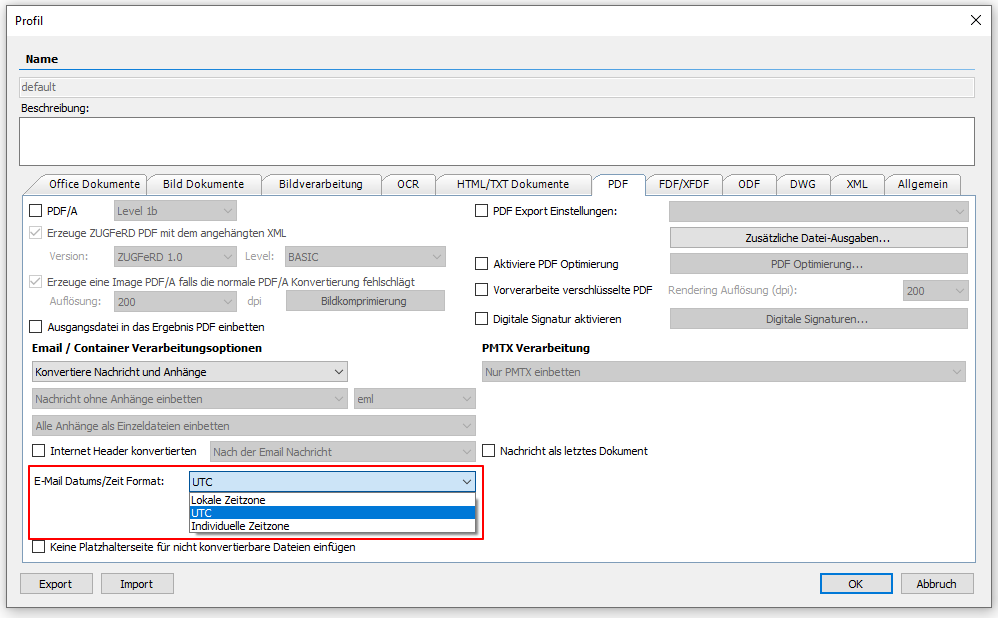
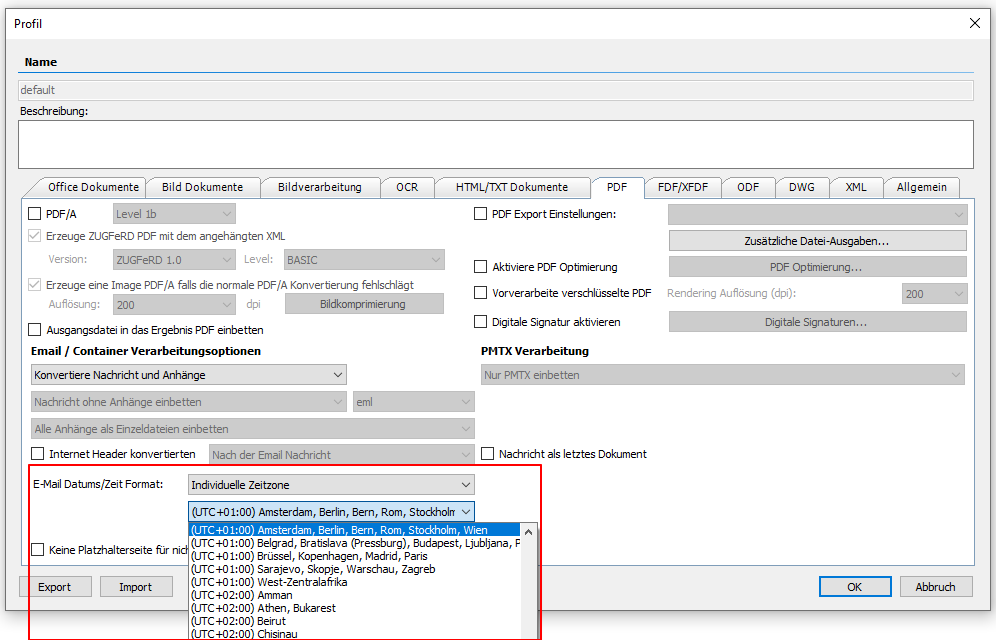
  • Email – adjustable time zone – local / UTC / individual: So far, the time display for email reception during PDF conversion was always given in UTC format. Now there is the possibility to configure the display of the time and thus adapt the display in PDF. “Local” – The local time of the FCpro server is used, “UTC” – The globally unique UTC time is taken. The location time is shown with the +/- correction and “Individual” – an individual location / time correction for the UTC representation can be selected.


  • Convert individual pages / page area from MS Office documents: When converting MS Office files, there is now the option of converting only individual pages or a page area. The new UploadJobEx9 REST function is available for this. this supports both “direct” and “MS Office” conversion.

/UploadJobEx9?ext={ext}&settingsName={settingsName}&gfiName={gfiName}&maxPage={maxPage}&outExts={outExts}&label={label}&priority={priority}&pageFrom={pageFrom}&pageTo={pageTo}

pageFrom must be <= pageTo and pageFrom >= 1. example: pageFrom=1 and pageTo=2, – pages 1 and 2 are converted. If all pages are to be processed then PageFrom = 0 and PageTo = 0 must be set. The gfiname can remain empty.

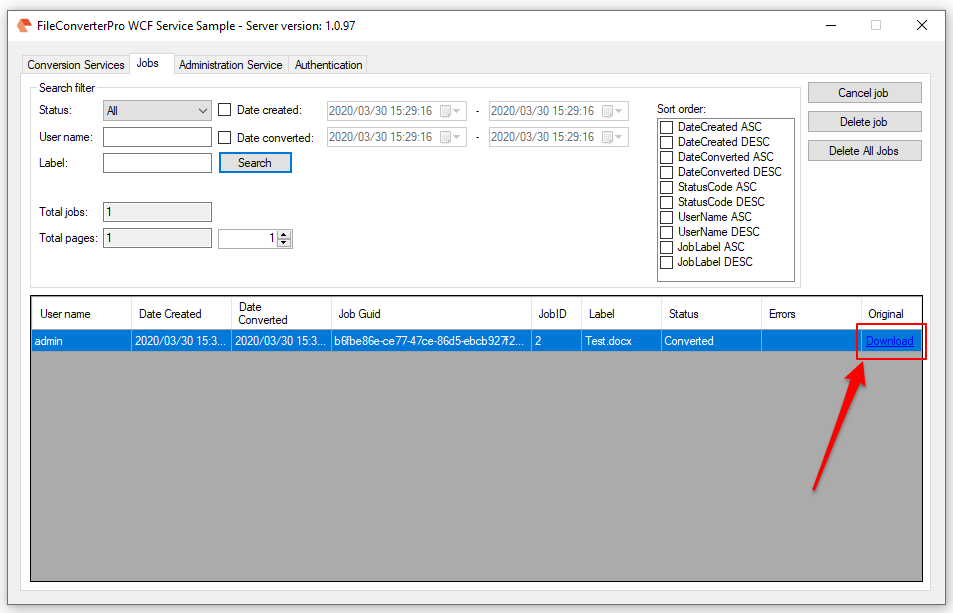
  • Download source file: Previously, only the files generated from the uploaded source file (PDF, TXT, JPEG, PNG) could be downloaded as a result of the processing. Now there is a web service function to download the original file again. The files uploaded for processing are retained for a set period of time and can therefore also serve as a backup if, for example the original file has already been deleted on the client.
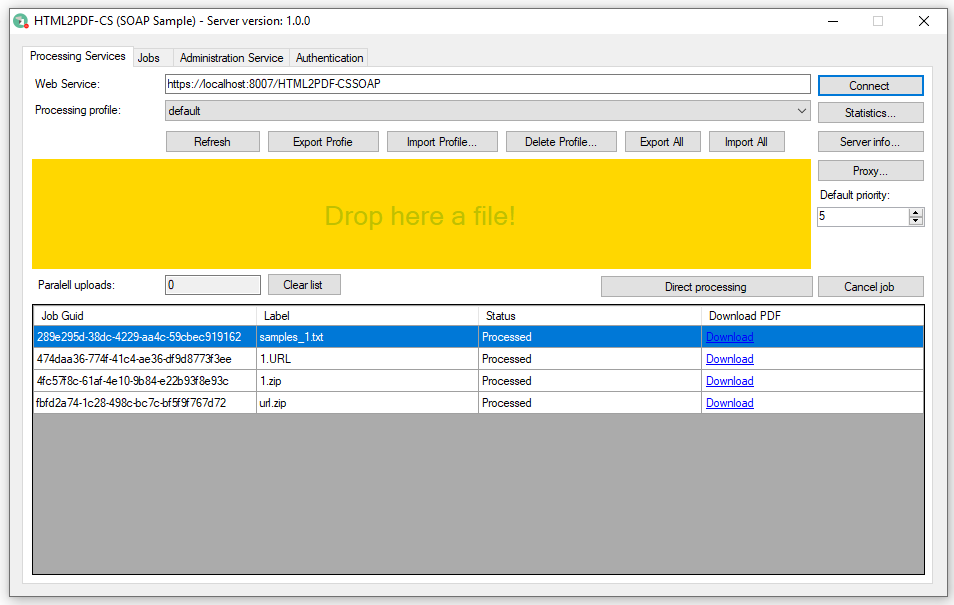
GetResultEx(jobGuid, -1, false) returns the source file. The second parameter is the parameter for the result index that starts with 0. If the function is called with -1, the original file is returned. The third parameter is “removeFile”. However, this has no meaning when index = -1. The original file cannot be deleted using this web service function. The jobs and the associated files are automatically deleted by the server after a configured number of days.
GetResultExt(jobGuid, -1) provides the file extension of the original file, e.g .: docx, msg, etc.

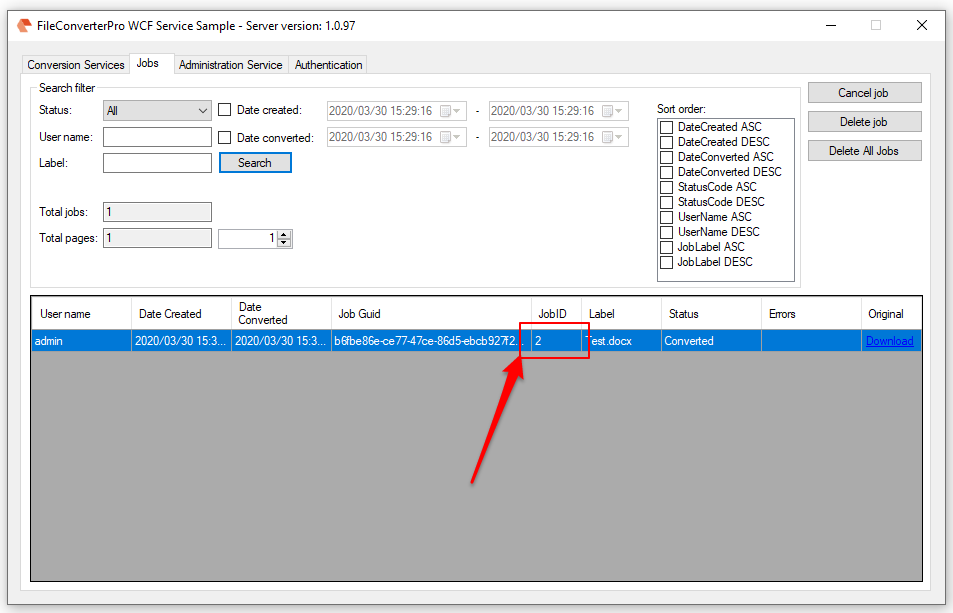
  • Display / call of the JobID: The files get a unique GUI-ID when uploading, which can be used to query the status and download the result files. The jobs are stored on the server in folders that are numbered using the job ID. To assign a folder on the FCpro server to a job, the server job (folder) ID is now also returned and displayed when the job is queried.

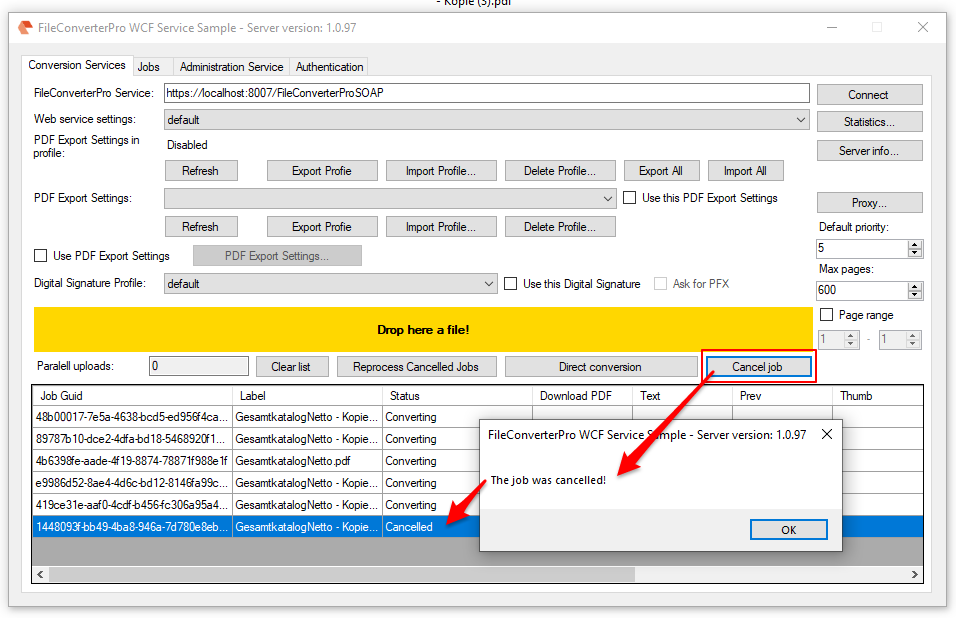
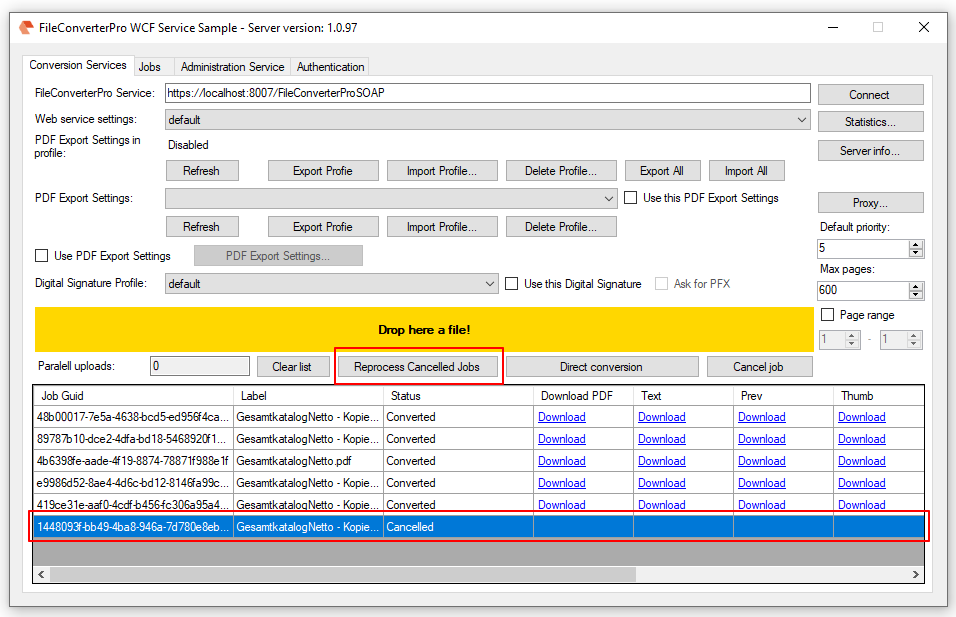
  • Reprocessing of canceled jobs: As long as processing has not started for a job (status = uploaded), processing can be canceled. Jobs whose processing has already started (status = processing) can no longer be canceled. The web service function is now available to trigger the reprocessing of canceled jobs ReprocessCancelledJobs().


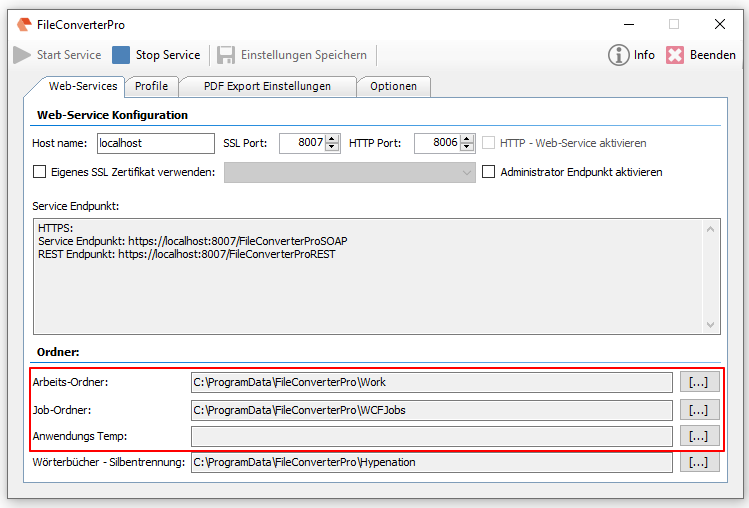
  • Troubleshooting – Jobs / Temporary folder cleanup: If other than the default folders (work, job, temp folder) were configured, they have not been cleaned automatically after the preset time. This has been fixed.

Download – OmniPage OCR Engine als Option für FCpro (ca. 235MB) >>>
Download – FileConverterPro (FCpro) ~600MB >>>

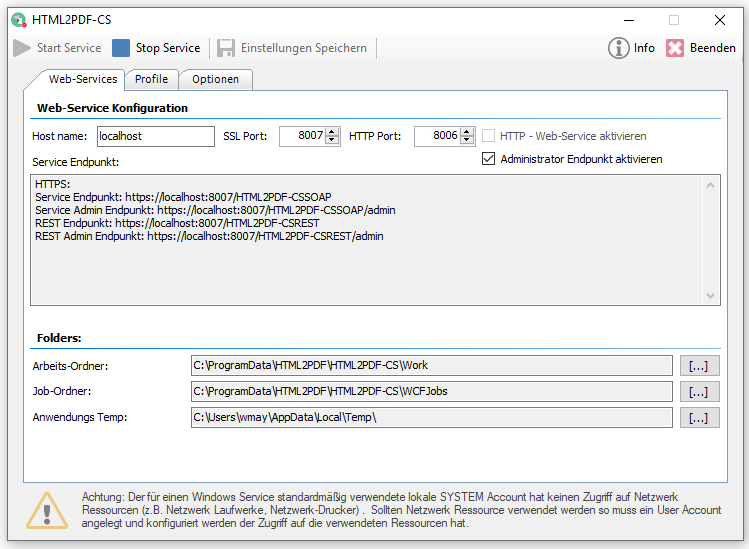
HTML2PDF-CS Converter Service – Windows service with REST / SOAP web service – converts HTML and web links to PDF and PDF / A

In addition to the HTML2PDF-CL command line application, the HTML to PDF or PDF / A converter is now also available in a CS version as a Windows service with a REST / SOAP web service interface.

Features HTML2PDF-CS:

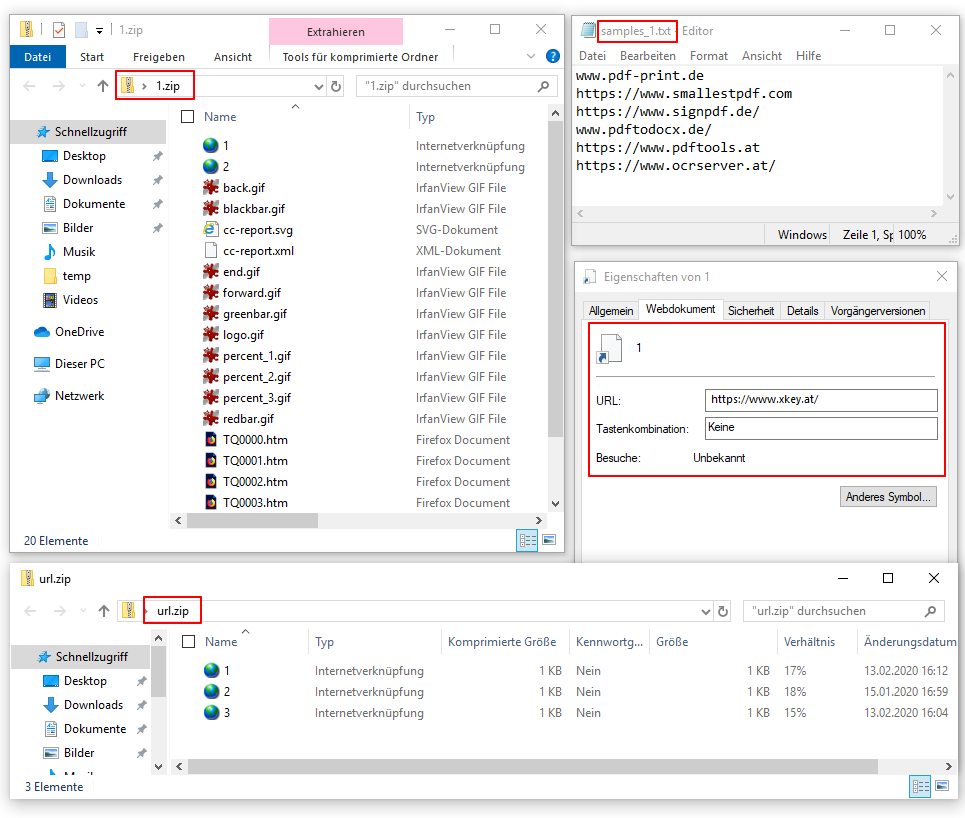
  • Several HTML and URL / TXT web link files can be converted to PDF and combined into a PDF or PDF / A complete file.
  • Processes ZIP, CHTML, CHTM containers as well as web links via URL and TXT files.
  • A single TXT file can also contain multiple web links.
  • CHTML, CHTM – are ZIP files that combine all necessary files (HTML, external images, PDF) in a single container file. A ZIP can also contain URLs or TXT files with web links.
  • The sorting is based on the name of the input files (HTML. PDF, TXT, URL).
  • Insert PDF bookmarks based on the structure of the ZIP with HTML, URL, TXT files.
  • MS Windows service
  • Multithreading / parallel conversion
  • Logging – errors / all processing,
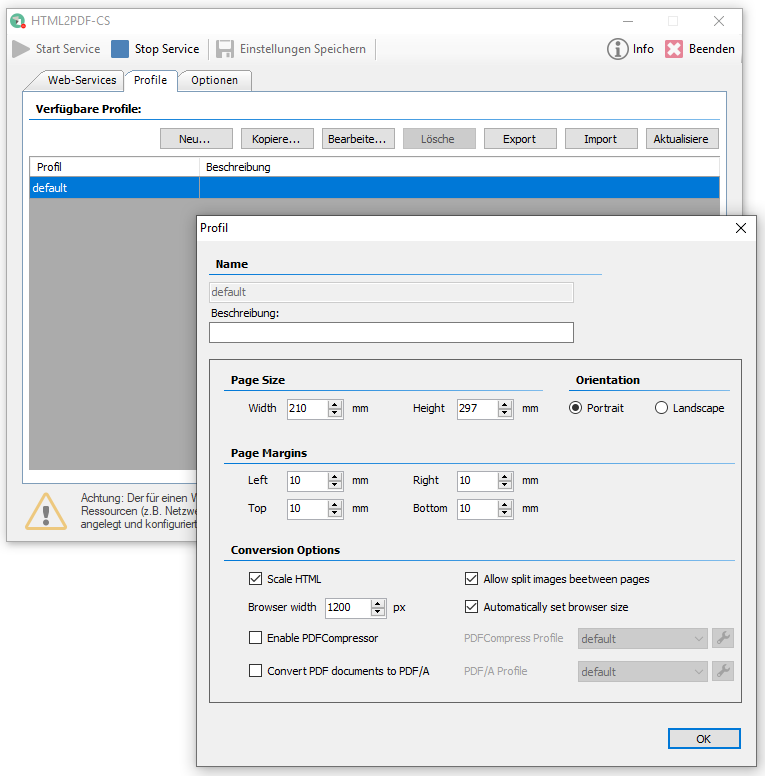
  • Configuration of the conversion parameters (page size, margins …) via profiles (new, copy, edit, delete, export, import)
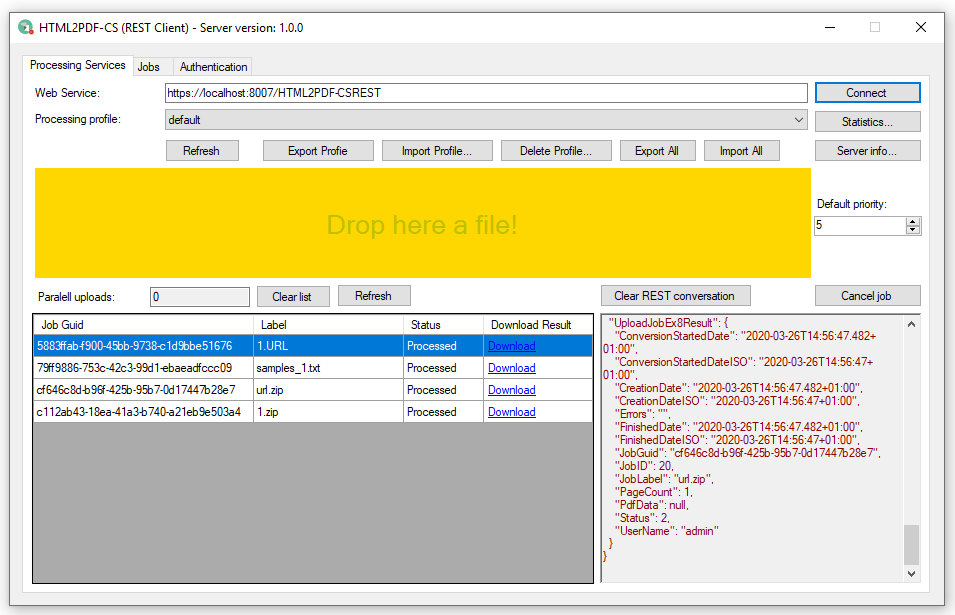
  • Communication via HTTP / HTTPS – web service interface via REST or SOAP
  • Web service interface compatible with FileConverterPro
  • .NET C # sample and client test application for REST and SOAP incl. VisualStudio projects included in the source code.
  • Free add-on clients for hot folders (CS-FM), drop (Drop-CS), and command line (CS-CL) processing available.

HTML2PDF-CS options:


Download – HTML2PDF-CS – Converter Service über REST & SOAP  >>>


PDFPrint .NET component version 1.2.1 – Automatic printer profile selection

The PDFPrint .NET component is used to print PDF without having Adobe Reader installed. PDFPrint is available in the product variants – FM- Folder Monitoring, CL – Commandline, CS – Web-Service, DropPrint and as an eDocPrintPro Plugin.

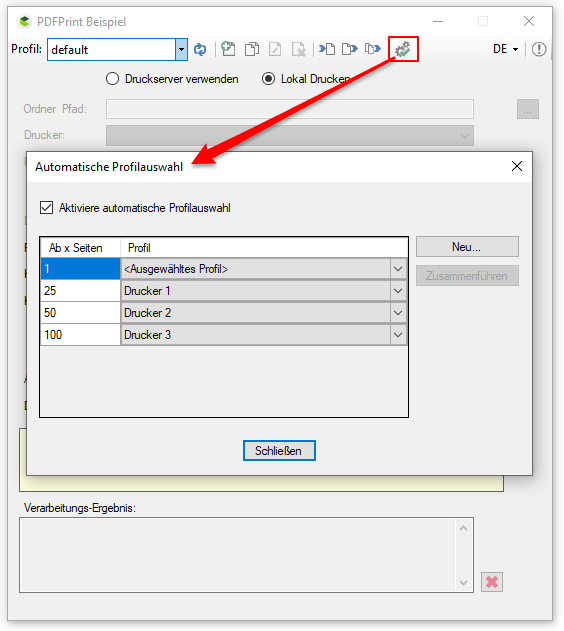
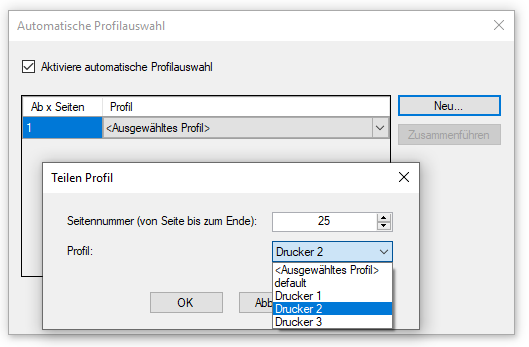
With the PDFPrint .NET component version 1.2.1 it is now possible to have the printer profile and thus the printer selected automatically. The number of pages of the PDF to be printed serves as a criterion. This allows for documents to be output specifically on specified printers.


Download – PDFPrint –  Prints PDF´s >>>

Webshop